



Mobile banking is now in the mainstream. I am a customer of JPMorgan Chase and like the iPhone app. It gives me the access to what I need in a mobile app:
- Balance information.
- Transaction history.
- Branch and ATM locations
- Key in the amount of the amount of the transaction.
- Take a picture of the front of the check.
- Take a picture of the back of the check.
- Approve and submit.
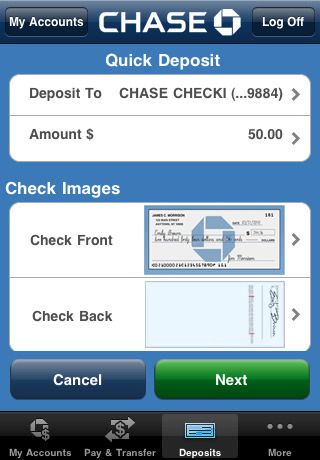 [/caption] The problem is that I couldn't get the check to deposit. I typed in the amount, but the character recognition couldn't find that amount on the check, so the system rejected the deposit. This was a machine generated check with everything typed. Character recognition doesn't get any easier. Chase needs to go back to the drawing board on the character recognition, and I need to go to the ATM to deposit the check. I anxiously await the next version.